


GitOps for Edge Clusters: One Script, Zero Secrets
Manage every edge cluster from one dashboard. No credentials ever leave your machine.
What if every device you configure in the cloud automatically appears on your edge cluster — and every change you make in the dashboard is enforced at the edge within seconds?
That is what Shifu Dev's new GitOps pipeline delivers. One dashboard to manage your entire edge fleet. One Git repository as the auditable source of truth. And a setup experience that takes five minutes without a single credential touching the cloud.
Cloud Manages. Edge Enforces. Git Connects Them.
Once GitOps is enabled on a workspace, the Shifu Dev dashboard becomes the control plane for your edge infrastructure.
Every change propagates automatically. Create a device in Shifu Dev, update a configuration, add a workload — the desired state commits to Git, Fleet picks it up, and the edge cluster converges. No SSH sessions into remote sites. No manual applies. No wondering which cluster is running which version.
One view across every edge site. The dashboard shows real-time sync state for every workspace — synced, syncing, stale, or needs action. When something drifts, you see it immediately with a concrete remediation path. No log scraping across sites. No polling individual clusters.
Devices created in the cloud are enforced at the edge. Shifu Dev bridges the gap between the cloud model (workspaces, device twins, configurations) and the Kubernetes reality running near your hardware. Add a device in the dashboard — the corresponding manifests land on the cluster within a sync cycle. Remove a device, and the cleanup propagates the same way.
Shifu Dev handles the edge complexity. Unreliable networks, dozens of device types, firmware variations, physical access constraints — Shifu Dev abstracts all of it into a workspace-level model. Operators declare intent in the dashboard. The GitOps pipeline enforces it at the edge.
How It Works: Five Layers, One Loop
The architecture is easier to understand as a layered model. Each layer has one job, and the feedback loop closes through the dashboard — not through credential sharing.
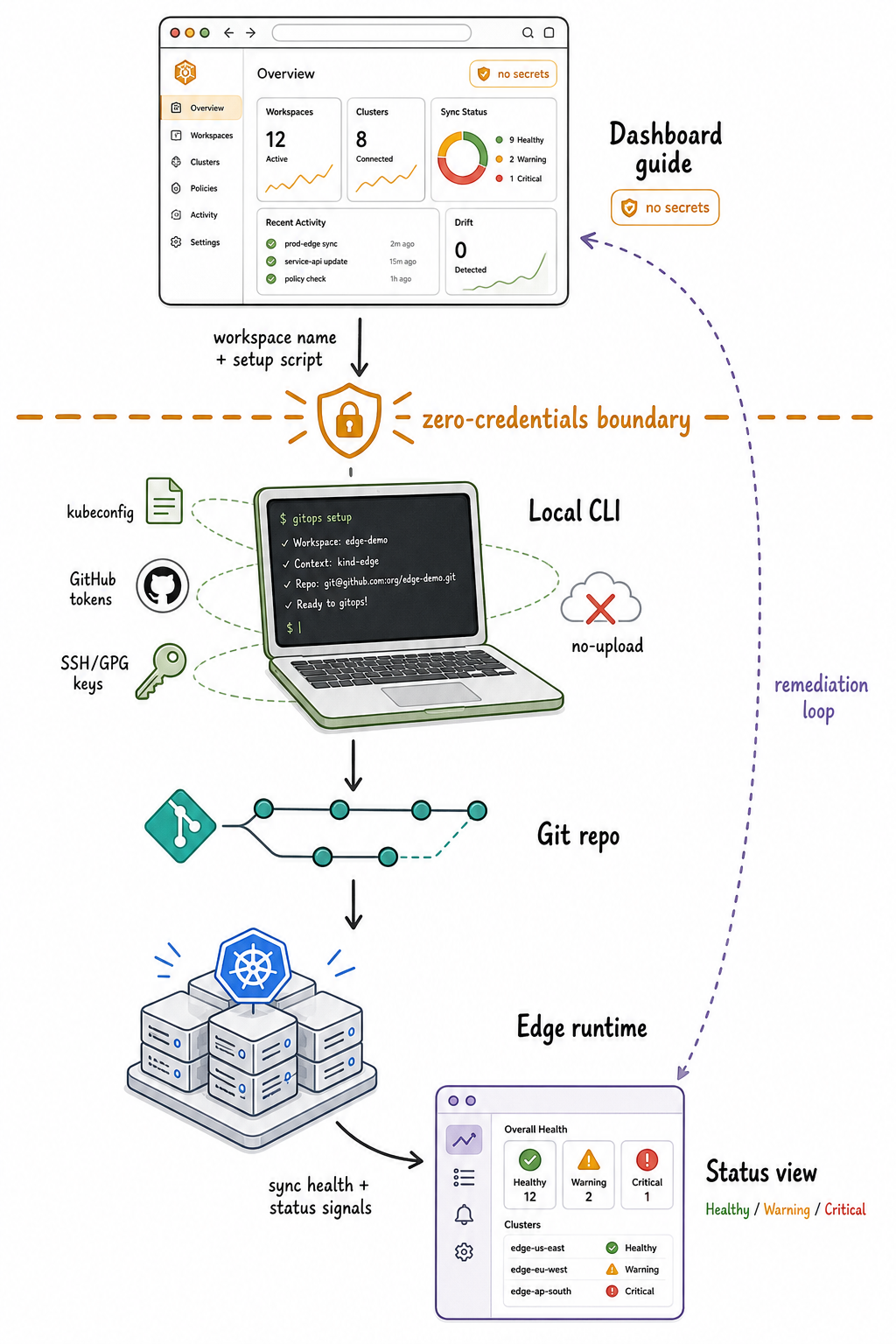
The dashboard generates a setup script with just a workspace name — no credentials cross the boundary. The local CLI handles all authentication on your machine — cluster credentials, GitHub tokens, everything — then commits desired state to Git and configures the edge cluster. Fleet pulls from Git and keeps the cluster in sync. Status signals flow back up to the dashboard, and if anything drifts, the dashboard surfaces the issue with actionable guidance.
The dotted line in the diagram — the zero-credentials boundary — is not decorative. It is a design constraint enforced at the code level.
Setup in Five Minutes
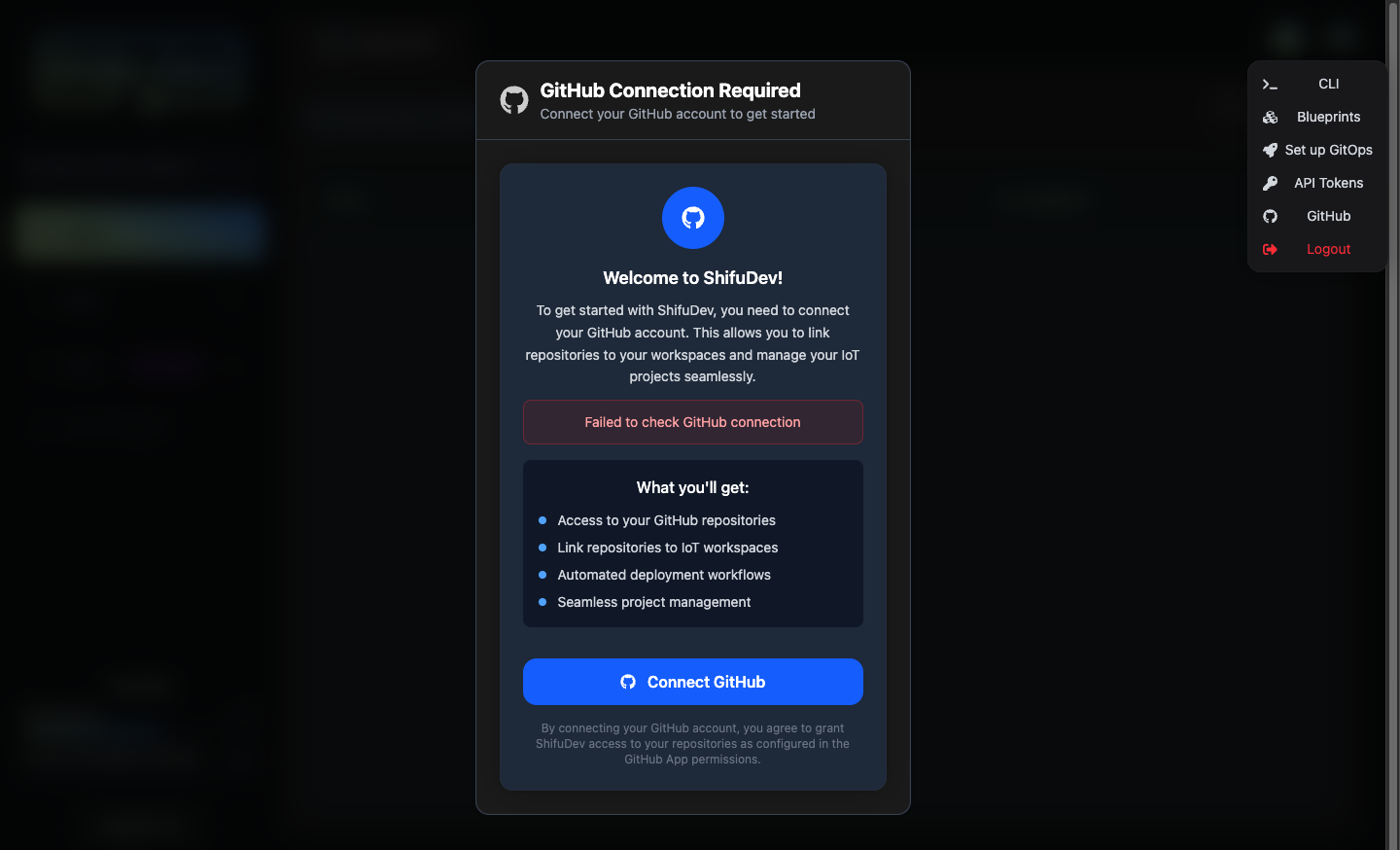
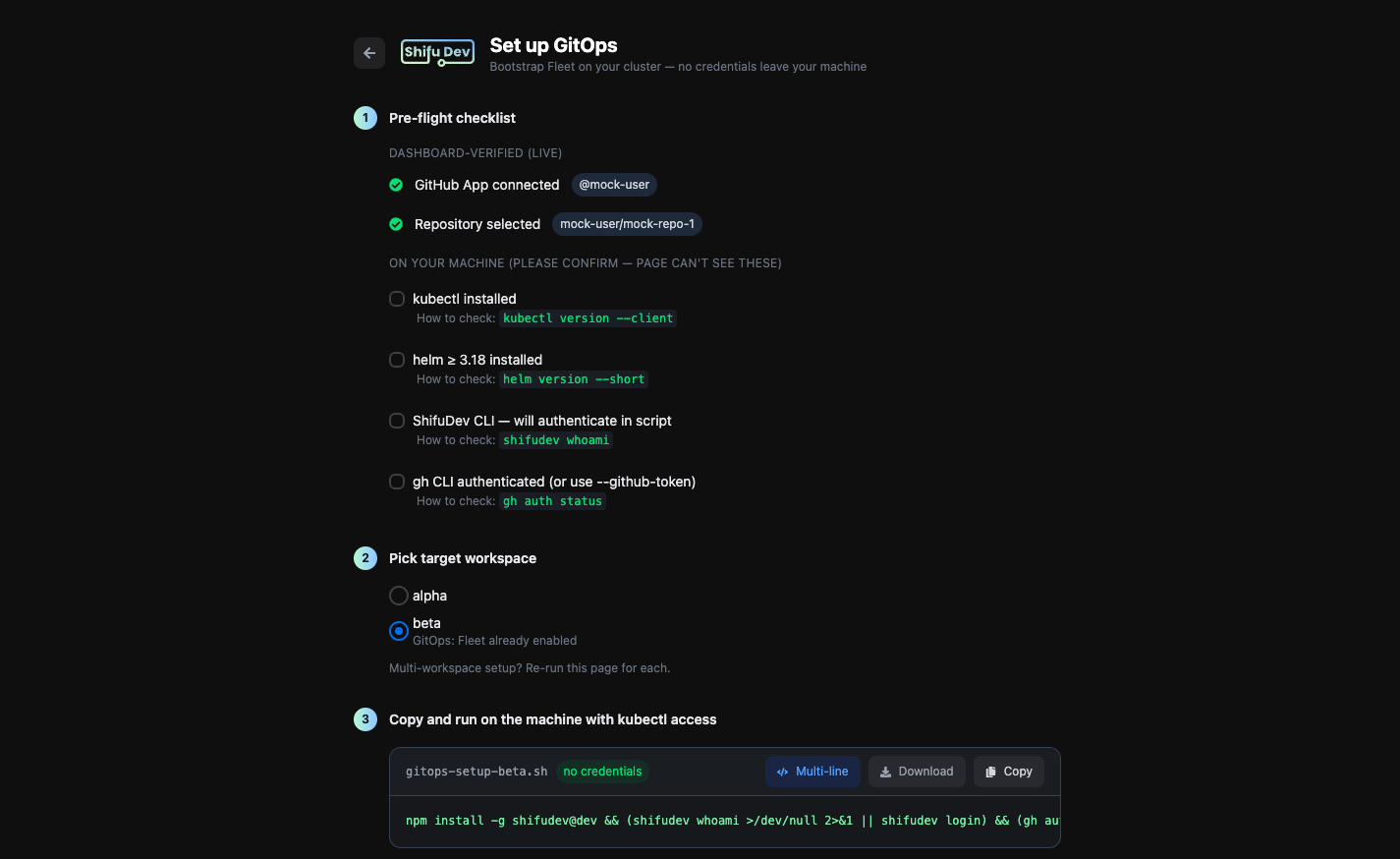
The Set up GitOps page lives in your user menu, right next to CLI and API Tokens.
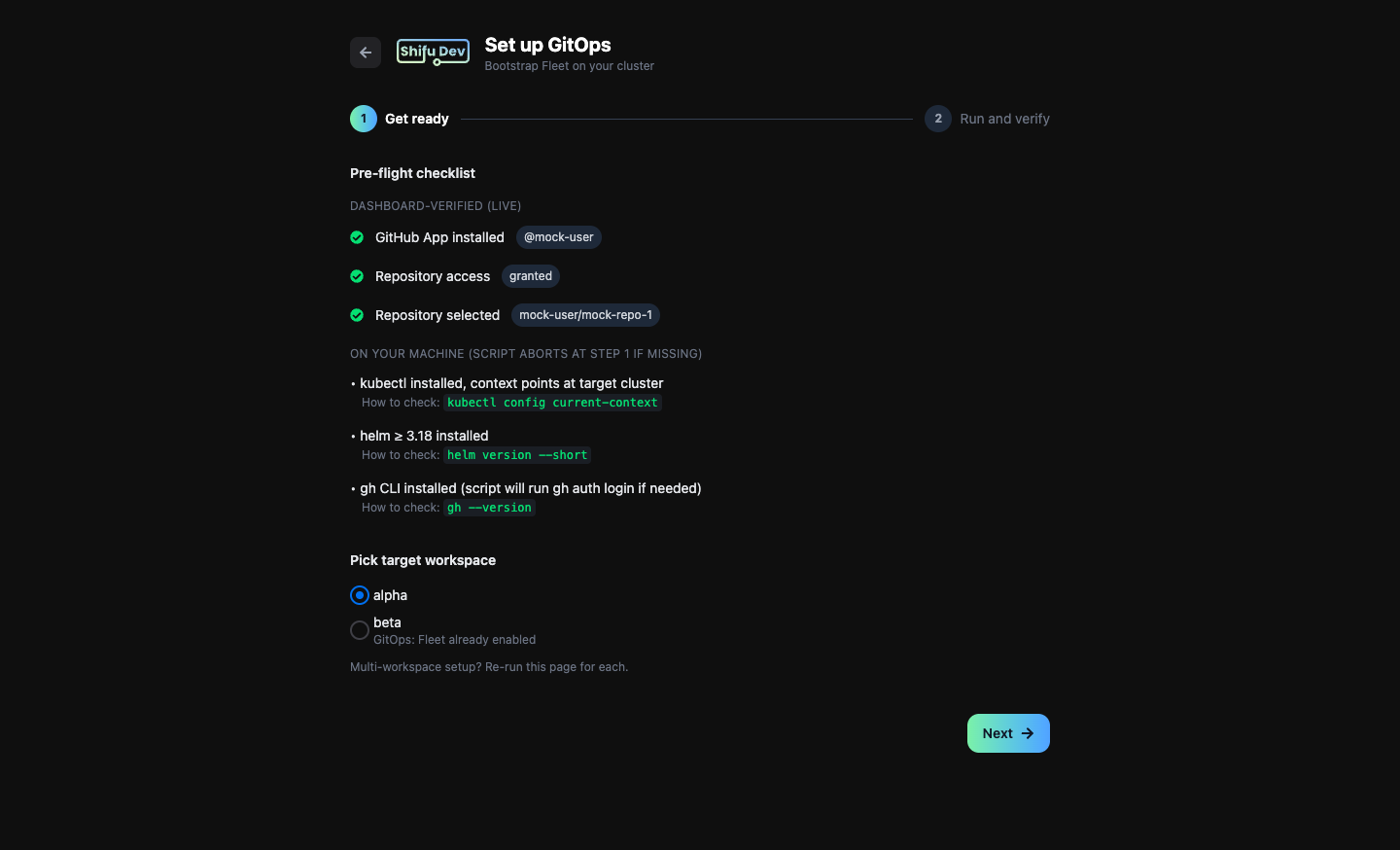
Step 1 — Check readiness. The dashboard verifies GitHub App installation, repository access, and workspace selection. Local prerequisites like kubectl and Helm are listed with one-line verification commands.
Step 2 — Copy, paste, done. Shifu Dev generates a single bash script tailored to your workspace. Copy it, paste it into your terminal, and the CLI handles everything: tool installation, authentication, Fleet deployment, deploy key registration, and Git connection.
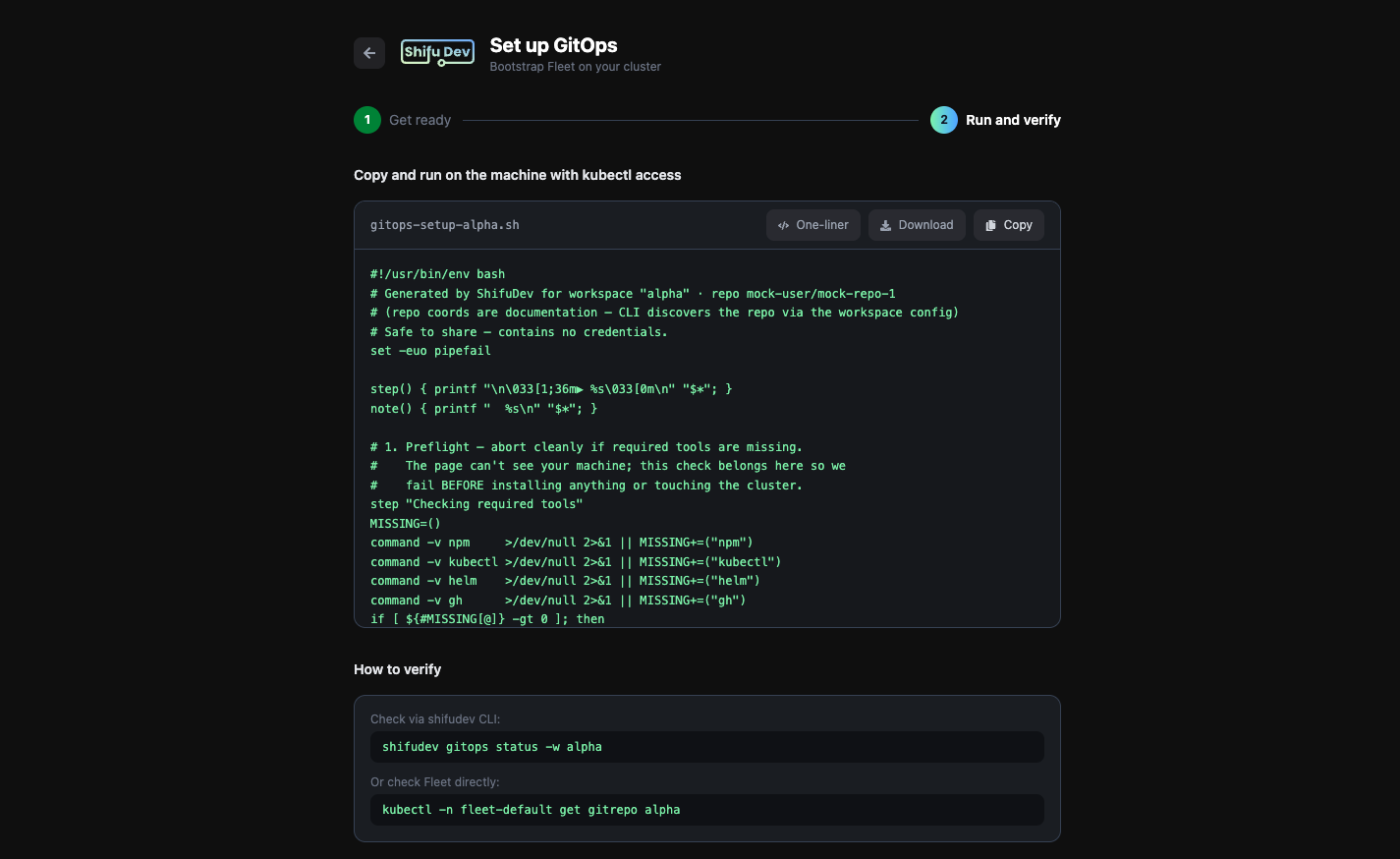
shifudev gitops status -w <your-workspace>
One command to verify. Your edge cluster is now synced from Git.
Your Secrets Never Leave Your Machine
This is not a convenience feature. It is a security invariant.
The setup script contains only a workspace name and non-sensitive configuration. All authentication — cluster credentials, GitHub tokens, kubeconfig access — happens locally on the operator's machine. The dashboard never sees, stores, or transmits any of it.
Script generation validates every input against a strict allowlist before interpolation, blocking injection vectors at the source. Automated tests scan every generated script for secret patterns — GitHub tokens, kubeconfig fragments, PEM markers — and fail the build if any appear. The script cannot accidentally contain credentials because the test suite will not let it ship.
From Workspace to Synced Cluster
This is the operational model Shifu Dev is building for edge teams: declare intent in the cloud, enforce it at the edge, and keep humans in the loop for security-sensitive decisions.
For operators, it is a reliable path from "I have a workspace" to "every site is synced from Git" — in five minutes, without sharing a single credential.
For platform teams, it reduces edge deployment complexity without expanding the amount of sensitive infrastructure state the cloud needs to own.
For the business, it means every edge site runs exactly what the central team intended, verified continuously, with full audit trail in Git.
For technical details, see the Shifu Dev product page.

